Managing human resources has become far more complex than simply maintaining employee records or processing payroll. As businesses continue to grow, HR teams are expected to handle recruitment, onboarding, attendance tracking, payroll management, performance evaluations, employee engagement, compliance, training, and much more. Performing all these tasks manually not only consumes valuable time but also increases the chances of errors that can impact overall business productivity.
This is where Human Resource Management Software plays a vital role. An advanced HR solution automates repetitive processes, organizes employee information in one secure location, and enables HR professionals to focus on strategic initiatives rather than administrative work. Whether you own a startup, a medium-sized company, or a large enterprise, selecting the right HR platform is one of the most important business decisions you can make.
In this complete guide, we explain everything you need to know before choosing the right Human Resource Management Software, including essential features, business benefits, common mistakes to avoid, implementation strategies, and how the right solution can transform your organization.
Key Takeaways
- Human Resource Management Software automates HR processes, improves efficiency, and reduces manual administrative work.
- Choose a human resource management system that is scalable, secure, user-friendly, and aligned with your business goals.
- Integrating your HR platform with ERP software streamlines business operations and enhances data accuracy.
- Investing in a comprehensive HR management software solution improves employee experience, compliance, payroll, and workforce productivity.
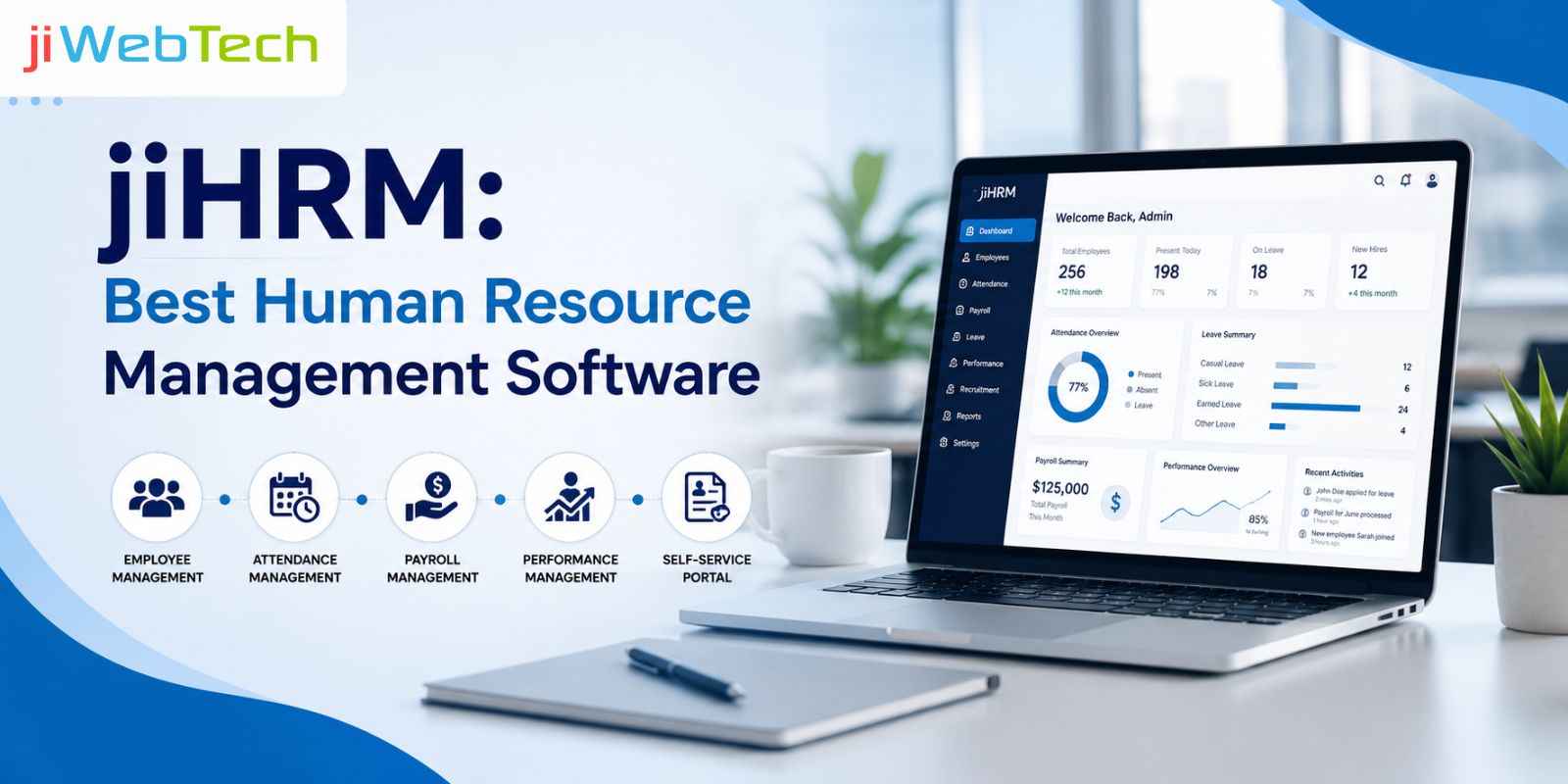
- jiHRM by jiWeb Technologies provides an all-in-one HR solution that helps businesses simplify workforce management and support long-term growth.
What is Human Resource Management Software?
Human Resource Management Software is a digital platform that helps businesses manage every aspect of their workforce through automation and centralized data management. Instead of relying on spreadsheets, paperwork, or disconnected applications, organizations can manage all HR functions from one secure system.
A modern human resource management system combines multiple HR activities into a single platform, making it easier to organize employee information, monitor attendance, process payroll, manage recruitment, evaluate employee performance, approve leave requests, maintain compliance, and generate insightful reports.
The primary objective of HR software is to eliminate repetitive manual tasks while providing HR teams with accurate, real-time information. This enables organizations to make faster decisions, improve employee satisfaction, reduce administrative costs, and maintain compliance with company policies and labor regulations.
Today's businesses require HR systems that are flexible, scalable, and accessible from anywhere. Cloud-based platforms have become increasingly popular because they allow HR managers and employees to access information securely using any internet-enabled device.
Why Every Modern Business Needs Human Resource Management Software
Businesses are becoming increasingly digital, and workforce management is no exception. Employees expect faster communication, self-service capabilities, transparent leave management, and quick access to payroll information. At the same time, HR professionals need tools that help them manage growing teams efficiently.
Implementing Human Resource Management Software helps businesses address these expectations while improving operational efficiency.
Reduces Manual Administrative Work
Manual HR processes consume significant amounts of time. HR teams often spend hours updating employee records, preparing payroll, calculating attendance, managing leave requests, and maintaining documentation.
A digital human resource management system automates these repetitive tasks, allowing HR professionals to dedicate more time to employee development, workforce planning, and strategic business initiatives.
Automation also reduces human errors that commonly occur when handling employee data manually.
Centralizes Employee Information
One of the biggest advantages of a modern HR platform is centralized data management.
Instead of maintaining employee information across multiple spreadsheets, emails, and paper files, organizations can securely store everything in one place. This includes personal details, employment history, attendance records, salary information, performance reviews, training records, compliance documents, and more.
Having centralized information improves collaboration, simplifies reporting, and ensures data consistency throughout the organization.
Improves Decision-Making
Accurate data helps businesses make better decisions.
Advanced HR Software provides dashboards, reports, and analytics that allow HR managers and business leaders to monitor workforce performance, employee turnover, recruitment progress, absenteeism trends, payroll costs, and overall productivity.
These insights enable companies to identify challenges early and make informed business decisions based on real-time information rather than assumptions.
Enhances Employee Experience
Modern employees expect digital convenience in every aspect of their work.
With self-service portals, employees can update personal information, submit leave requests, access payslips, check attendance records, and communicate with HR without unnecessary paperwork.
Providing employees with greater control over their HR activities increases transparency, improves satisfaction, and strengthens workplace engagement.
Key Features to Look for in Human Resource Management Software
Choosing software solely based on price can lead to long-term challenges. Instead, organizations should evaluate features that support current operations while remaining flexible enough to accommodate future business growth.
Employee Information Management
Employee information management helps businesses securely organize and access workforce data from a centralized platform.
- Store employee profiles, employment history, and personal details securely.
- Manage contracts, certificates, identification documents, and compliance records.
- Maintain updated work history, qualifications, and performance records.
- Reduce administrative effort with quick and centralized data access.
Recruitment and Applicant Tracking
A streamlined recruitment process helps organizations attract, manage, and hire the right talent efficiently.
- Publish job openings and receive applications from one platform.
- Shortlist candidates and schedule interviews with ease.
- Track candidate progress throughout the hiring process.
- Improve collaboration among recruiters and hiring managers.
Employee Onboarding
A structured onboarding process helps new employees become productive quickly and creates a positive first impression.
- Assign onboarding tasks automatically.
- Collect employee documents digitally.
- Share company policies and orientation materials.
- Track onboarding progress until completion.
Attendance and Leave Management
Automated attendance and leave management improves accuracy while reducing manual HR work.
- Track attendance using biometric devices or mobile applications.
- Allow employees to apply for leave online.
- Automate leave approvals through defined workflows.
- Maintain accurate leave balances and attendance records.
Payroll Management
Payroll automation ensures employees are paid accurately while reducing processing time and compliance risks.
- Automate salary calculations and tax deductions.
- Process overtime, bonuses, and reimbursements efficiently.
- Generate accurate digital payslips.
- Minimize payroll errors through automation.
Performance Management
Performance management helps organizations measure employee growth and align individual goals with business objectives.
- Set employee goals and performance indicators.
- Conduct regular appraisals and performance reviews.
- Collect continuous feedback from managers.
- Create personalized employee development plans.
Learning and Training Management
Continuous learning helps employees develop new skills and improve workplace performance.
- Assign training programs based on employee roles.
- Monitor participation and course completion.
- Evaluate training effectiveness through assessments.
- Maintain certification and learning records.
Employee Self-Service Portal
A self-service portal allows employees to manage routine HR tasks independently and conveniently.
- View attendance records and leave balances.
- Apply for leave and track approval status.
- Download salary slips and update personal details.
- Submit reimbursement claims and access HR policies.
Reporting and Analytics
Reporting and analytics provide valuable insights that support smarter HR and business decisions.
- Generate reports on payroll, attendance, and recruitment.
- Analyze employee turnover and workforce trends.
- Monitor department performance through dashboards.
- Support strategic planning with real-time HR data.
Cloud-Based vs. On-Premise Human Resource Management Software
Feature | Cloud-Based Human Resource Management Software | On-Premise Human Resource Management Software |
|---|---|---|
Deployment | Hosted on secure cloud servers and accessed via the internet. | Installed and hosted on the company's own servers. |
Initial Cost | Lower upfront investment with subscription-based pricing. | Higher initial investment for hardware, software, and infrastructure. |
Maintenance | Managed by the software provider, including updates and security patches. | Managed by the organization's internal IT team. |
Software Updates | Automatic updates with the latest features and security enhancements. | Manual updates that require IT resources and scheduled maintenance. |
Accessibility | Accessible from anywhere using a web browser or mobile device. | Generally accessible only within the company's network unless remote access is configured. |
Scalability | Easily scales as the business grows and workforce expands. | Scaling often requires additional hardware and infrastructure upgrades. |
Data Storage | Employee data is securely stored on cloud servers with regular backups. | Data is stored on the organization's local servers and managed internally. |
Security Responsibility | Security, backups, and disaster recovery are primarily handled by the service provider. | The organization is responsible for data security, backups, and disaster recovery. |
Implementation Time | Faster deployment with minimal infrastructure setup. | Longer implementation due to installation, server configuration, and testing. |
Remote Work Support | Ideal for remote and hybrid work environments with anytime, anywhere access. | Limited remote accessibility unless additional remote access solutions are implemented. |
IT Resource Requirement | Requires minimal in-house IT support. | Requires a dedicated IT team for ongoing management and maintenance. |
Best Suited For | Startups, SMEs, and enterprises looking for flexibility, lower costs, and easy scalability. | Organizations with strict data control policies or specific compliance requirements. |
How to Evaluate Your Business Requirements Before Choosing HR Software
Purchasing HR software without first understanding your organization's requirements often leads to unnecessary expenses and poor user adoption. Every business operates differently, so selecting software should begin with a careful assessment of current HR processes and future goals.
Understand Your Current HR Challenges
Begin by identifying the problems your HR department faces every day. Ask questions such as:
- Are attendance records still maintained manually?
- Is payroll processing taking too much time?
- Are employee documents scattered across multiple locations?
- Is recruitment becoming difficult to manage?
- Are managers struggling with performance evaluations?
- Is leave management creating confusion among employees?
Understanding these pain points allows you to identify features that will provide the greatest value.
Consider Company Size
The needs of a startup differ significantly from those of a large enterprise.
Small businesses may require basic employee management and payroll features, while larger organizations often need advanced modules for recruitment, performance management, compliance, workforce analytics, training, and employee engagement.
Choosing software that can scale with your organization prevents costly migrations in the future.
Common Mistakes Businesses Make While Selecting HR Software
Many organizations focus only on price when evaluating HR platforms. Unfortunately, this approach often results in selecting software that cannot support future business requirements. Below are some common mistakes businesses should avoid.
Ignoring Scalability
Software that meets today's requirements may become insufficient as the organization grows.
Businesses should choose solutions capable of supporting workforce expansion, additional departments, multiple office locations, and evolving HR processes.
Overlooking User Experience
Even the most feature-rich platform becomes ineffective if employees find it difficult to use.
An intuitive interface encourages adoption and minimizes training requirements for HR teams and employees.
Choosing Software Without Integration
HR software should integrate smoothly with accounting systems, payroll, attendance devices, ERP applications, email platforms, and other business tools.
Disconnected systems increase manual work and reduce operational efficiency.
Not Considering Vendor Support
Reliable customer support is essential for successful implementation.
Businesses should evaluate the software provider's onboarding assistance, technical support, documentation, product updates, and ongoing maintenance services before making a purchase.
Why jiHRM Is the Right HR Management Software Solution
At jiWeb Technologies, we developed jiHRM after understanding the everyday challenges faced by HR professionals, managers, and business owners.
Rather than creating software with unnecessary complexity, we focused on delivering an intelligent, user-friendly HR management software solution that simplifies workforce management while supporting business growth.
jiHRM brings together every essential HR function within one integrated platform, helping organizations improve efficiency, reduce manual work, and make better workforce decisions.
Whether you are managing a growing startup or an established enterprise, jiHRM provides the flexibility and scalability needed to support your organization's changing requirements.
Its seamless integration with our all-in-one online ERP Software Solution enables businesses to connect HR operations with other critical business functions, creating a more efficient and data-driven workplace.
Step-by-Step Implementation Process for Human Resource Management Software
Implementing Human Resource Management Software is not just about installing a new system - it is about transforming the way your organization manages its workforce. A well-planned implementation ensures smooth adoption, minimizes disruptions, and helps businesses maximize their return on investment. Below is a step-by-step process that organizations can follow to successfully implement an HR solution.
Step 1: Analyze Your Business Requirements
The first step is to evaluate your organization's HR processes and identify the challenges that need to be addressed. Every business has different requirements depending on its size, industry, and workforce.
Start by assessing your current HR operations, including recruitment, employee onboarding, attendance tracking, payroll, leave management, performance evaluation, and compliance. Identify areas where manual work consumes excessive time or where errors frequently occur. Having a clear understanding of your requirements will help you choose the most suitable Human Resource Management Software that aligns with your business objectives.
Step 2: Define Clear Goals
Before implementation begins, establish measurable goals for the project. Determine what you expect the software to achieve, such as reducing administrative work, improving payroll accuracy, automating leave management, enhancing employee engagement, or generating better HR reports.
Clearly defined objectives make it easier to evaluate the success of the implementation after the software goes live.
Step 3: Select the Right HR Software
Choosing the right solution is one of the most important decisions in the implementation process. Compare available platforms based on features, scalability, ease of use, security, customization options, integration capabilities, and customer support.
A comprehensive HR management software solution should support your current business needs while remaining flexible enough to accommodate future growth.
Step 4: Prepare and Migrate Employee Data
Before moving to the new system, review your existing employee records to ensure they are complete, accurate, and up to date. Remove duplicate entries, correct outdated information, and organize documents properly.
Once the data has been verified, migrate employee profiles, attendance records, payroll information, leave balances, performance history, and other important records into the new human resource management system. Accurate data migration ensures a smooth transition and reduces future operational issues.
Step 5: Configure the Software According to Business Policies
Every organization has its own HR policies, approval workflows, attendance rules, payroll structures, leave policies, and reporting requirements.
Configure the software to match your organization's processes rather than forcing employees to adapt to unnecessary changes. Proper customization improves efficiency and ensures the system supports your existing business operations.
Step 6: Integrate with Other Business Applications
For maximum efficiency, your HR platform should integrate with other business systems such as ERP software, accounting software, biometric attendance devices, email platforms, and payroll applications.
Integration eliminates duplicate data entry, improves reporting accuracy, and allows departments to work more efficiently using centralized information.
Step 7: Train HR Teams, Managers, and Employees
Even the best software cannot deliver results if users do not understand how to use it effectively.
Provide comprehensive training sessions for HR professionals, managers, and employees. Explain system features, approval workflows, reporting tools, self-service portals, and security practices. Well-trained users are more likely to adopt the software quickly and use it efficiently.
Step 8: Test Before Going Live
Conduct thorough testing before launching the software across the organization.
Verify payroll calculations, attendance records, leave approvals, employee profiles, workflow automation, reports, and system integrations. Testing helps identify and resolve potential issues before they affect daily business operations.
Step 9: Launch the System Across the Organization
After successful testing, deploy the software across all departments. Monitor system performance closely during the initial weeks and provide immediate support whenever users encounter challenges.
A carefully managed rollout helps employees adapt to the new system with minimal disruption.
Step 10: Monitor Performance and Continuously Improve
Implementation does not end after deployment.
Regularly review system performance, gather employee feedback, analyze HR reports, and identify opportunities for improvement. Updating workflows and adopting new features ensures that your Human Resource Management Software continues delivering value as your organization grows.
Conclusion
Choosing the right Human Resource Management Software is one of the most important technology investments an organization can make. The right solution not only simplifies everyday HR operations but also improves employee experiences, increases productivity, supports compliance, and enables better business decisions through accurate data and automation.
At jiWeb Technologies, we are committed to helping businesses modernize their workforce management with innovative technology solutions. Our jiHRM platform is designed to simplify recruitment, employee management, attendance, payroll, leave administration, performance evaluation, and reporting through a powerful HR management software solution. As part of our all-in-one online ERP Software Solution, jiHRM enables organizations to streamline operations, improve collaboration, and manage their workforce more efficiently from a single platform.
Whether you are a growing startup or a large enterprise, investing in the right HR Software today will prepare your organization for tomorrow's challenges. With jiHRM and the expertise of jiWeb Technologies, you gain more than just software - you gain a trusted technology partner dedicated to supporting your business growth, improving operational efficiency, and helping you build a smarter, more productive workplace.
FAQ's
1. Why is integration with ERP software important for HR management?
Integrating HR functions with ERP software creates a centralized business environment where departments can work more efficiently using shared and accurate information.
- Eliminate duplicate data entry across multiple business systems.
- Improve collaboration between HR, finance, and management teams.
- Generate comprehensive business reports using centralized data.
- Increase operational efficiency by automating cross-department workflows.
2. What security features should organizations look for in HR Software?
Since HR systems manage confidential employee information, businesses should prioritize software that offers strong security controls and reliable data protection.
- Choose platforms with role-based user access controls.
- Ensure sensitive employee data is protected using encryption.
- Look for automatic backups and disaster recovery capabilities.
- Verify compliance with relevant data privacy and security standards.
3. How can Human Resource Management Software enhance employee engagement?
Employee engagement improves when HR processes become transparent, accessible, and easy to use. Modern Human Resource Management Software provides employees with greater control over their HR activities.
- Enable self-service access for leave, attendance, and payroll information.
- Simplify communication between employees and HR teams.
- Support continuous performance feedback and recognition.
- Provide learning and career development opportunities through the platform.
4. What factors should businesses prioritize when comparing different Human Resource Management Software solutions?
Selecting the right software requires evaluating much more than pricing. Businesses should compare functionality, scalability, security, and long-term support to ensure the solution aligns with organizational objectives.
- Compare core HR features such as payroll, attendance, recruitment, and performance management.
- Check customization options to match your organization's HR policies.
- Evaluate data security measures and compliance capabilities.
- Review vendor support, software updates, and implementation services.
5. What are the long-term business benefits of investing in an HR management software solution?
A well-designed HR management software solution delivers long-term value by improving operational efficiency, reducing costs, and supporting organizational growth.
- Reduce manual administrative work through workflow automation.
- Improve payroll accuracy and regulatory compliance.
- Enhance decision-making using HR analytics and reports.
- Support business expansion with scalable workforce management tools.